JBWhisper, step by step
Seven steps take you from signing in to your first interview. Each has a short clip of the real app, the screens it shows and the page in the documentation that explains it in full.
-
Sign in and set up
Sign in with your JobBlynt account; your plan decides what opens. Then point JBWhisper at the folder with your notes and choose whether AI runs through JobBlynt or on your own key.
 In the documentationYour setup
-
Second Brain
Your Second Brain is an ordinary folder of notes, indexed on your computer. Add resumes and project write-ups, and every answer can point back to the note it came from.
In the documentationSecond Brain
-
Devices
Pick the microphone for your voice and the system audio that carries the other side of the call. Then choose who answers, in which voice, and on which screen the answers appear.
In the documentationDevices
-
Training
A quick check of microphone, speech input and voice, then Agent 01 interviews you out loud. Agent 02 can answer first from your notes, so you hear a good answer before you give yours. The review shows what to practice next.
In the documentationTraining
-
Live interview
In an interview where AI help is allowed, JBWhisper transcribes the call, works out the question and writes a short answer from your notes, marked when it is grounded in them.
In the documentationLive interview
-
Compliance Mode
Before every session you say what kind it is: practice, training, Restricted Live or Verified AI Live. In Restricted Live it writes no answers at all. Compliance Mode is on from the first start.
In the documentationSession types and Compliance Mode
-
Premium
Phone mirror
With Premium, the transcript and the answers can also appear on your phone, over your own network. The phone only displays; it cannot start, stop or change anything.
In the documentationPhone mirror
-
Ready for your first session
JBWhisper comes with the Essentials and Premium plans, for Windows 10 and 11. Install it, sign in, and start with a practice round before any real interview.
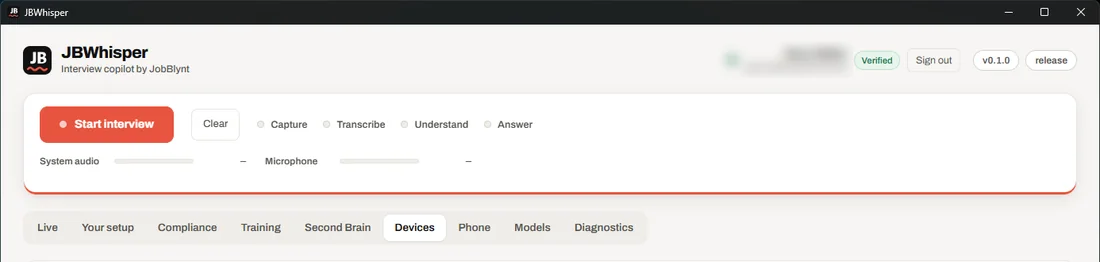 Sign in with JobBlynt
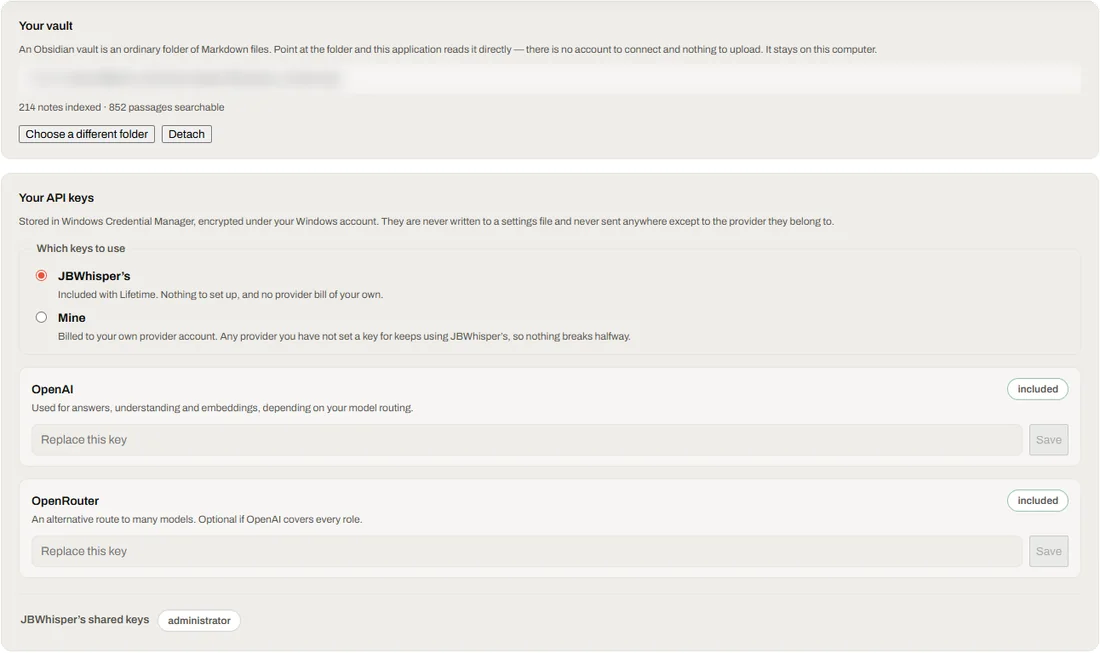 Your setup
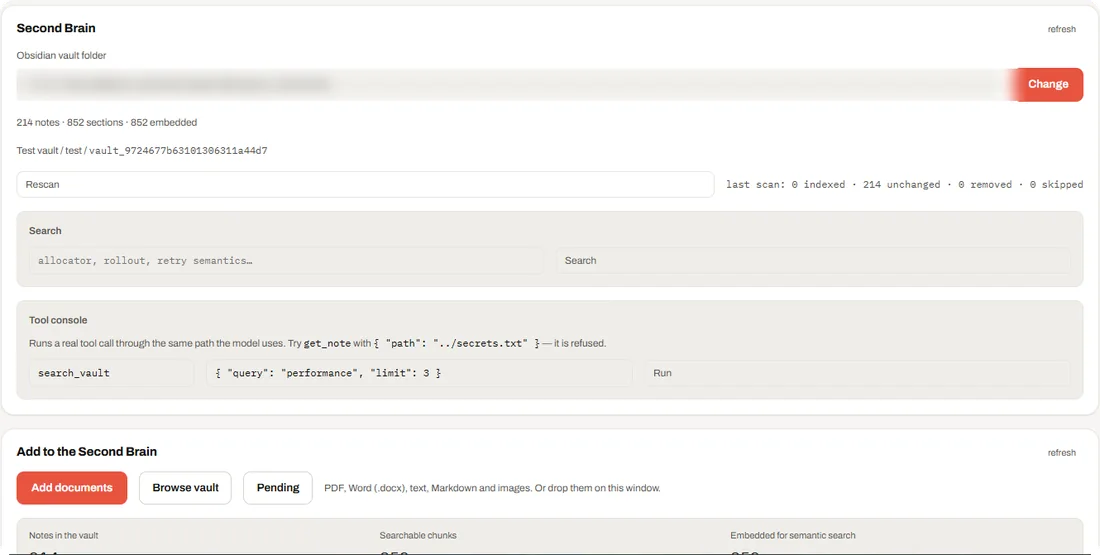 Your Second Brain
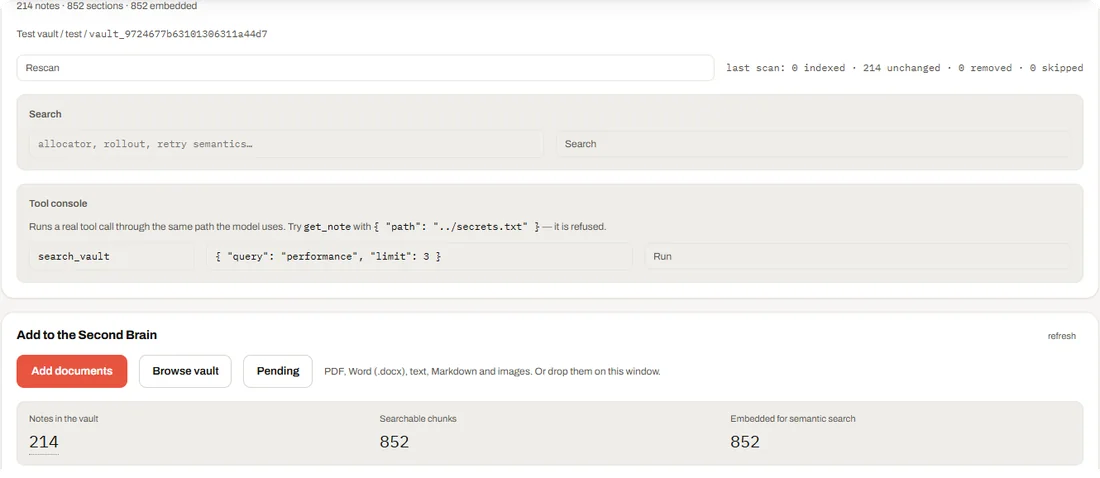 Add documents
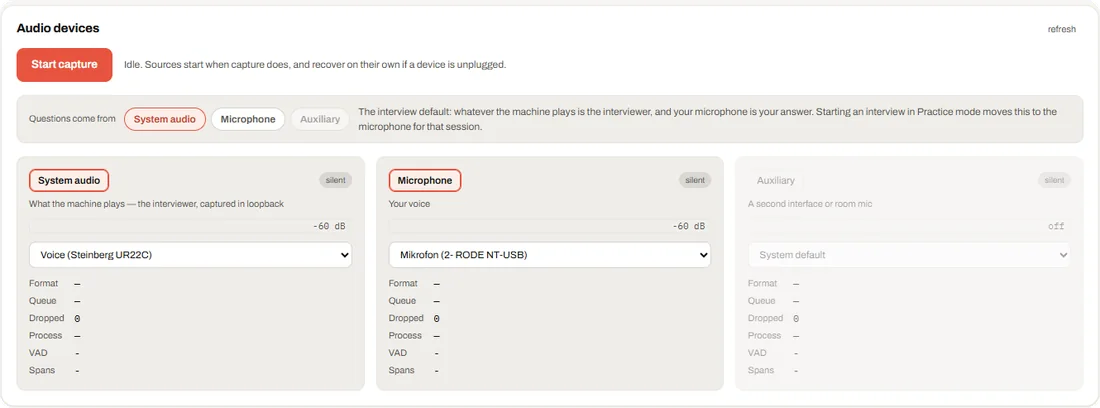 Pick your audio
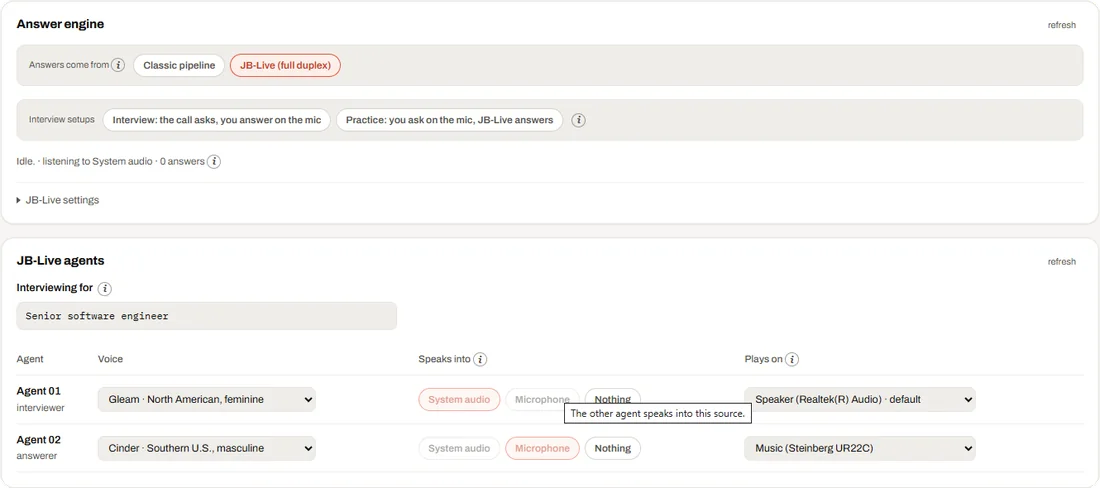 Who answers, in which voice
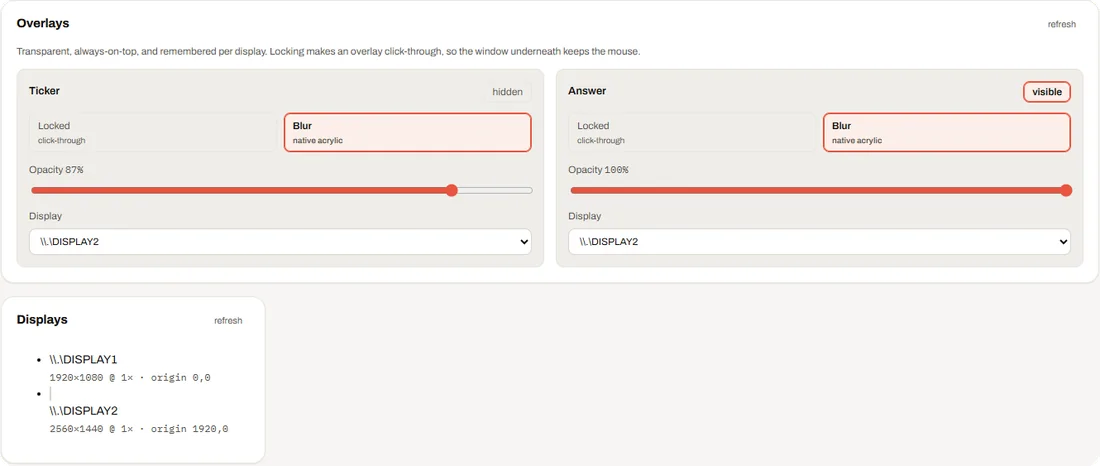 Where answers appear
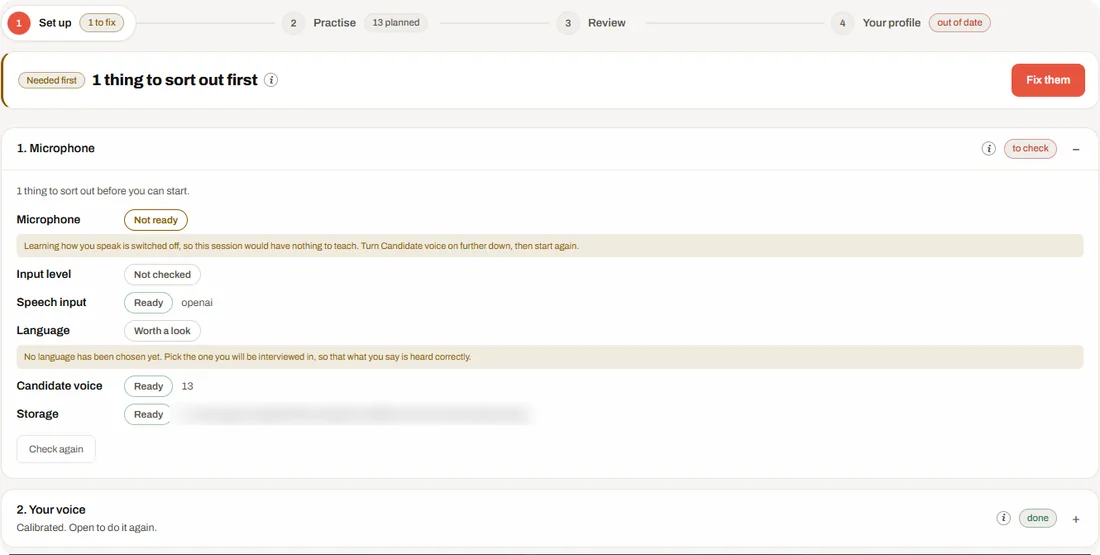 A quick check first
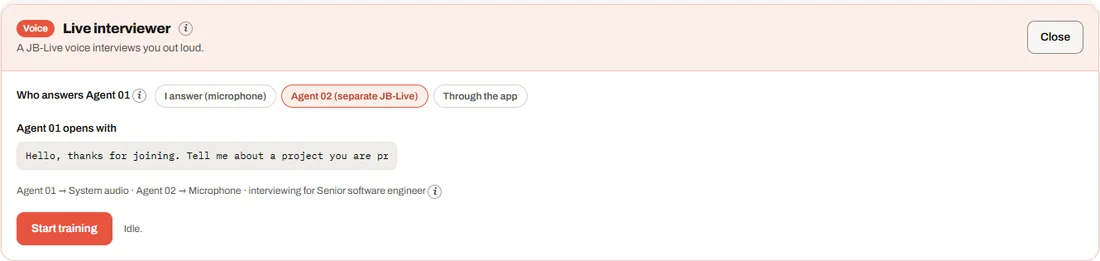 The Live interviewer
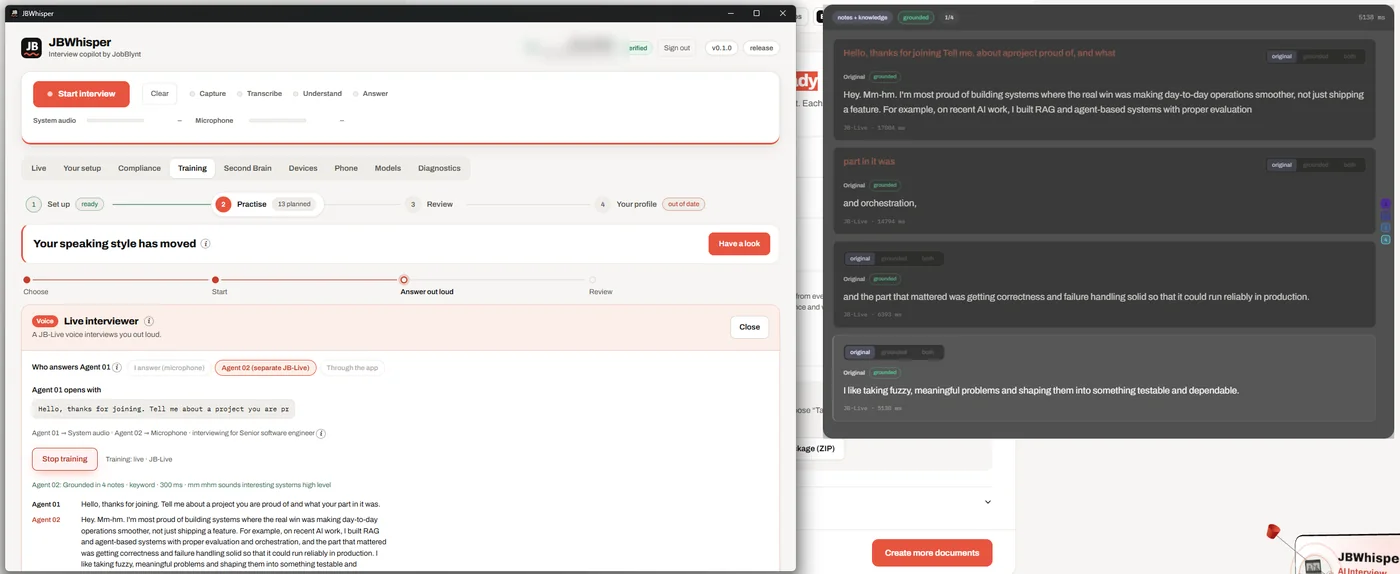 A real run (recording)
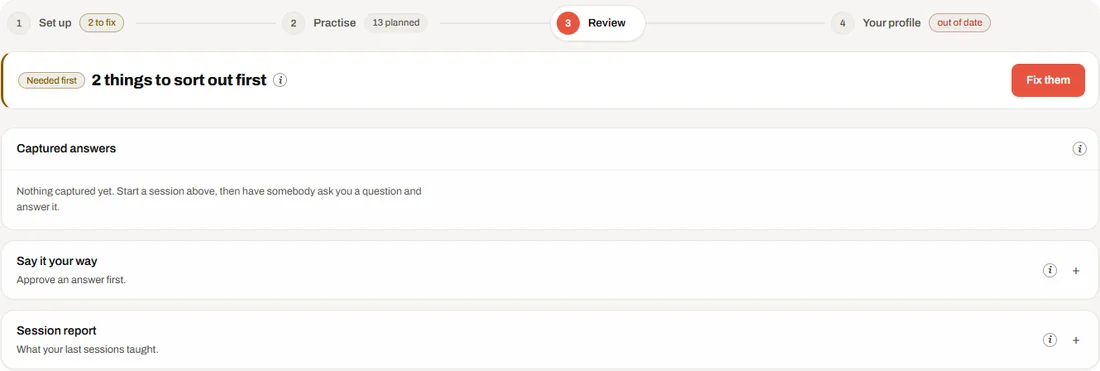 Review
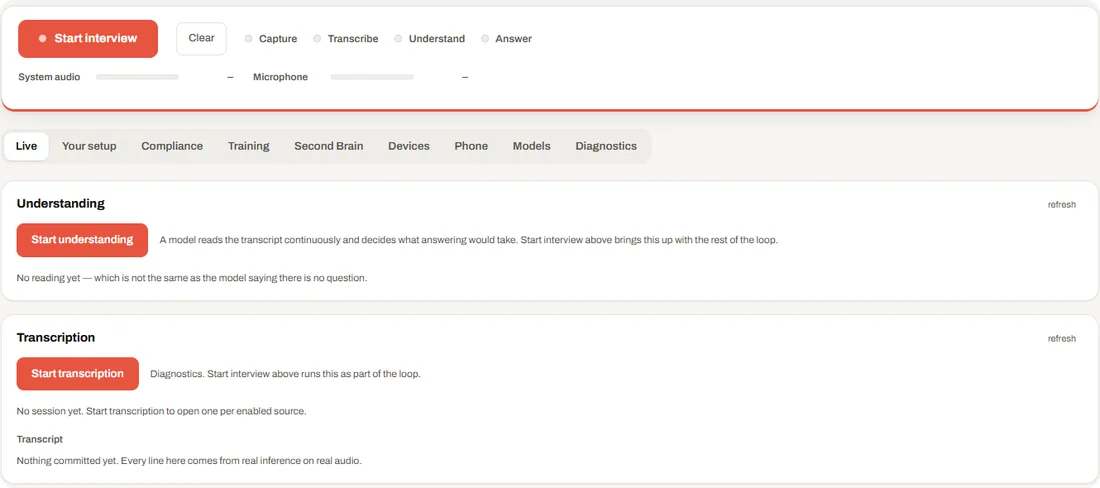 Listening and understanding
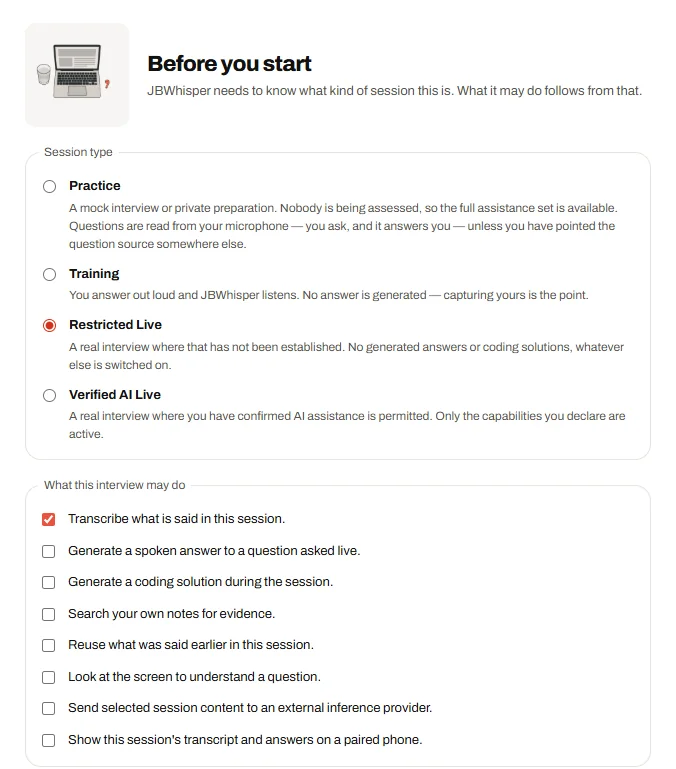 Say what the session is
 Silent when it counts
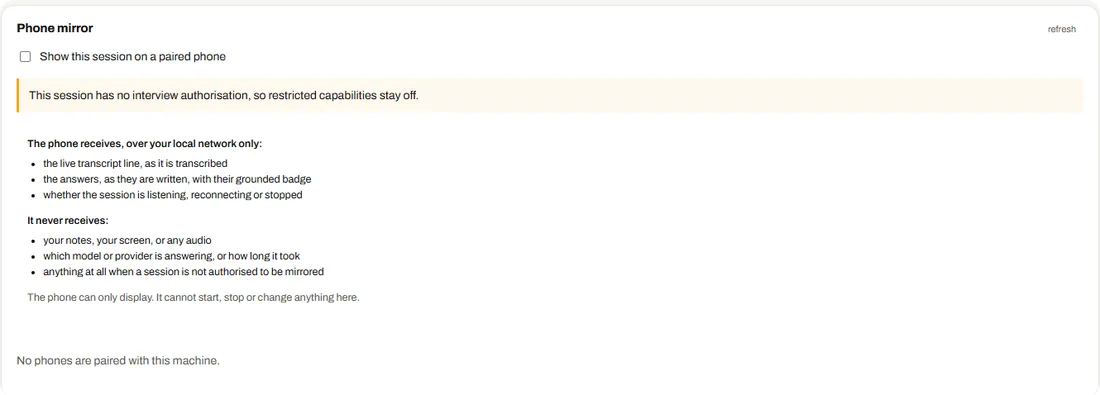 On your phone too
About the tour
How long is the JBWhisper tour?
The film is 30 seconds, with a voice-over: a short introduction, one scene for each of the seven steps, and an ending. Each step below has its own piece of the film, with its line of the voice-over; open it in the player to hear it.
Is this the real app?
Yes. Every screen is a picture of the installed JBWhisper app, and the training scene is a recording of a real run with Agent 01 and Agent 02. Account names and folder paths are blurred.
Can I skip the tour?
On your first visit, the film plays once from start to finish. After that, a Skip button appears. You can replay the film or jump to any step on the timeline.