In the interview · Step 9
Phone mirror
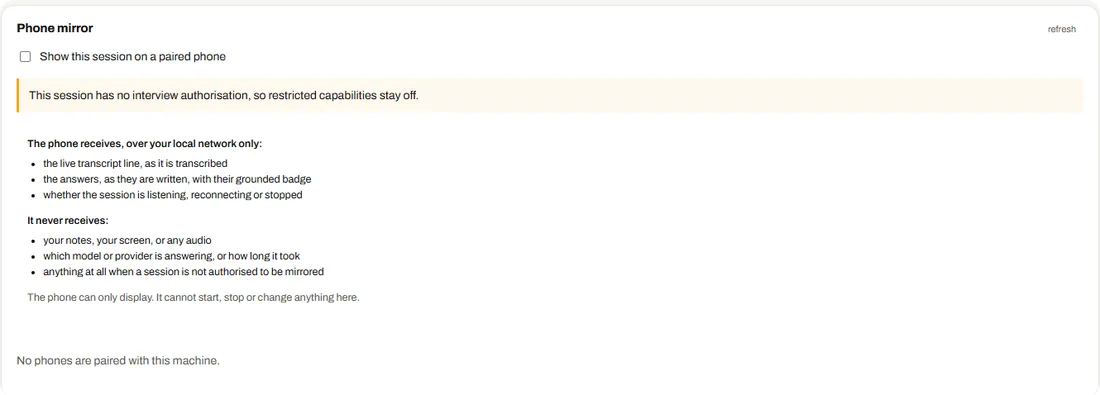
The Phone tab lets a paired phone show the live transcript and the answers of the current session, over your local network only.
What the phone receives, and what it never does
| The phone receives | It never receives |
|---|---|
| The live transcript line, as it is transcribed | Your notes, your screen or any audio |
| The answers as they are written, with their grounded badge | Which model or provider is answering, or how long it took |
| Whether the session is listening, reconnecting or stopped | Anything at all when the session is not authorised to be mirrored |
Using it
- Pair a phonePair it with this machine on the same network; the tab shows this machine's fingerprint and, when it has several network addresses, which one phones should use.
- Allow it for the sessionShowing the session on a phone is one of the things a session may do. Without that permission restricted capabilities stay off.
- Tick Show this session on a paired phoneThe phone can only display. It cannot start, stop or change anything.