Before an interview · Step 4
Devices: audio, answer engine and overlays
The Devices tab decides what JBWhisper hears, how it answers, how the two training agents are wired, and where the floating windows sit.
Audio devices
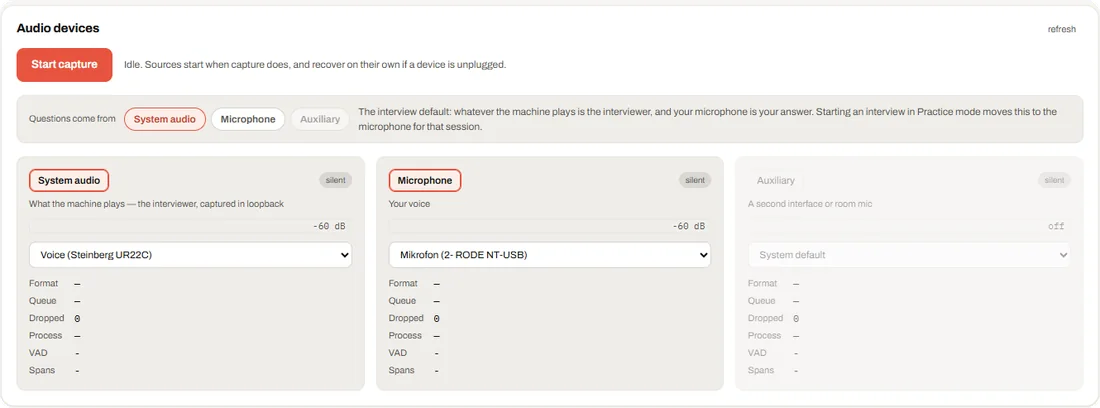
Three sources, each with its own device, level meter and counters. Sources start when capture starts and recover on their own if a device is unplugged.
- System audio: what the machine plays — in a call, the interviewer — captured in loopback
- Microphone: your voice
- Auxiliary: a second interface or room microphone, off unless you choose it
- Questions come from: normally System audio. Starting a Practice session moves this to the microphone for that session
Answer engine
Two one-click setups sit under it: Interview (the call asks, you answer on the microphone) and Practice (you ask on the microphone, JB-Live answers).
| Classic pipeline | JB-Live (full duplex) | |
|---|---|---|
| Hears | the transcript | the raw audio of the question source |
| Starts answering | after the question is understood | while the question is still ending |
| Grounding | retrieval and an evidence judge | vault excerpts handed to the model |
| Answer window | streamed text | JB-Live's spoken reply, as text |
JB-Live agents
Used by the Live interviewer in Training. Interviewing for sets the role Agent 01 interviews for and Agent 02 answers as. For each agent you pick a voice, the source it speaks into (System audio, Microphone or Nothing) and the speaker it plays on.
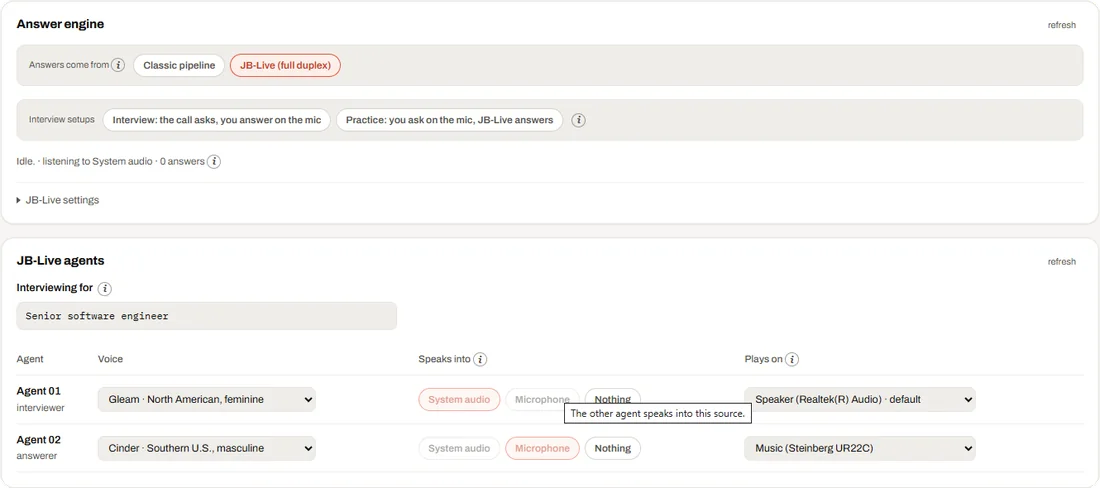
When both agents play on the same speaker, the tab says so. You will hear both on one device; send Agent 02 to your headphones if you want them apart.
Overlays and displays
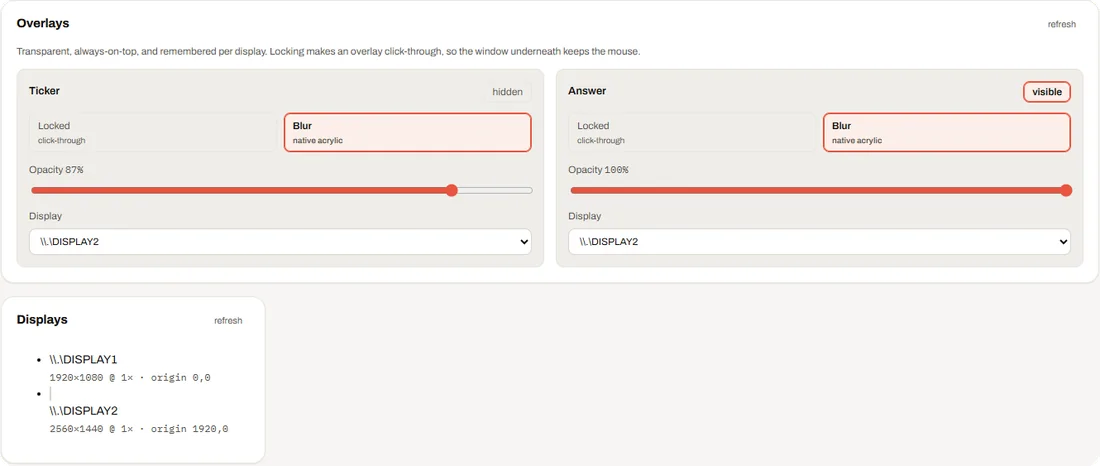
- Ticker (Transcript) and Answer: each can be locked (click-through, so the window underneath keeps the mouse), blurred, made more or less opaque, and pinned to a display
- Positions are remembered per display. If a display disappears, an overlay left off-screen is moved back onto the main one