Start here
JBWhisper documentation
JBWhisper is a Windows app that trains you for job interviews out loud and, in interviews where AI help is allowed, listens, finds the facts in your own notes and writes an answer you can say in your own words. This documentation walks through every part of it in the order you will use it.
Prefer to watch first? Take the tour
A 30-second film walks through the seven steps from signing in to your first interview. Afterwards every step waits on a timeline with its own clip, the real screens and a link to its page here.
What JBWhisper is made of
Everything happens in three windows. You set things up in the main window; during a session two small windows float on top of your call.
- The main window: the Start interview button, the four stages of the live loop, and nine tabs — Live, Your setup, Compliance, Training, Second Brain, Devices, Phone, Models and Diagnostics
- The Transcript window (the ticker): one line of what is being said right now, always on top, and click-through when you lock it
- The Answer window: the answer as it is written, with a badge saying whether it is grounded in your notes
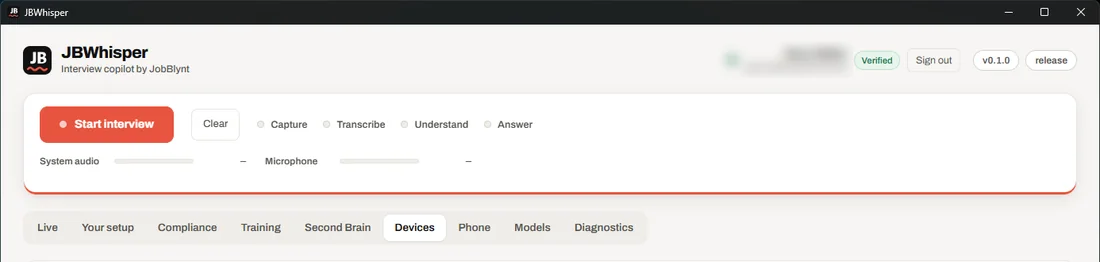
The loop behind every answer
- CaptureYour microphone and whatever your computer plays — the other side of the call — each as its own source.
- TranscribeReal-time speech to text, shown line by line in the Transcript window.
- UnderstandA model reads the transcript continuously and decides whether a question has been asked and what answering it takes.
- AnswerIt searches your Second Brain, judges whether the evidence is enough, and streams a short, spoken-style answer into the Answer window.
Before every session JBWhisper asks what kind of session it is. In a real interview where AI help has not been allowed it writes no answers at all. See Session types and Compliance Mode.
How this documentation is organised
The steps on the left follow the order you need them: install and sign in, point JBWhisper at your notes, set up audio, understand the session types, train, then use the copilot. The last pages cover the phone mirror, the models, diagnostics and what to do when something does not work.
- Windows 10 or 11, 64-bit
- A JBWhisper account (sign in inside the app)
- A folder of notes about your work — an Obsidian vault works as it is
- Headphones for training with two AI voices