Start here · Step 2
Your setup: account, notes folder and keys
The Your setup tab holds the three things JBWhisper needs from you: who you are, where your notes are, and whose AI keys to use.
Your notes folder
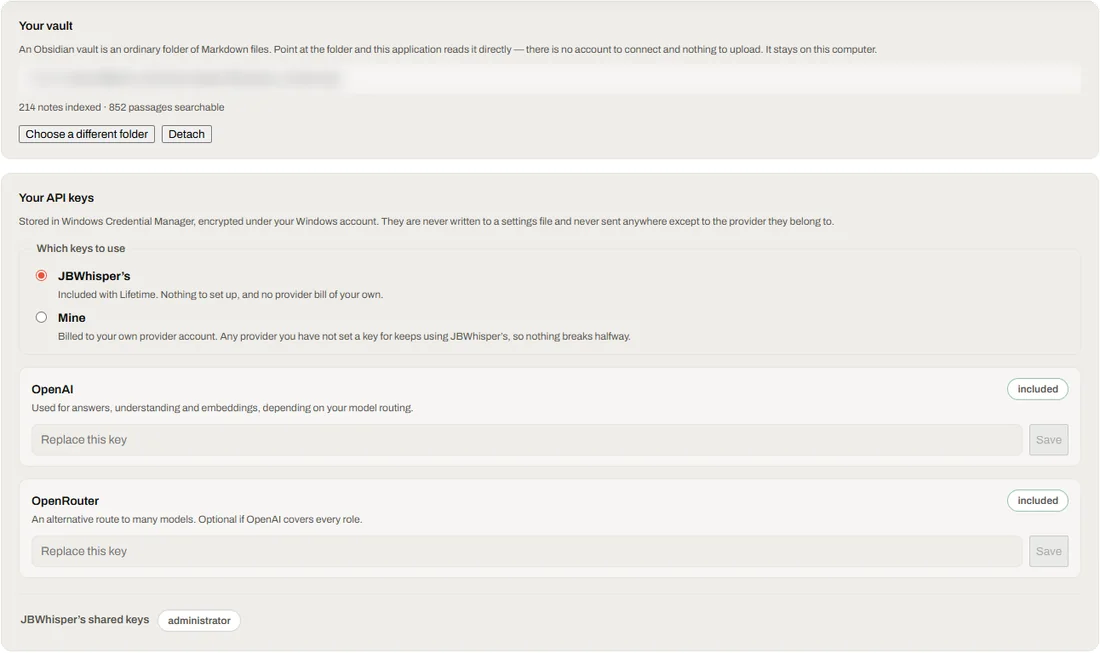
JBWhisper reads an ordinary folder of Markdown files — an Obsidian vault works as it is. Point it at the folder and it reads it directly: there is no account to connect and nothing to upload. The folder stays on your computer.
- Choose a folderPress Choose a different folder and pick the folder with your notes.
- Let it indexJBWhisper counts the notes and the passages it can search, for example 214 notes indexed · 852 passages searchable.
- Detach when you need toDetach disconnects the folder without deleting anything in it.
Which AI keys to use
- JBWhisper's: nothing to set up and no provider bill of your own
- Mine: billed to your own provider account. Any provider you have not set a key for keeps using JBWhisper's, so nothing breaks halfway
- OpenAI is used for answers, understanding and embeddings, depending on your model routing; OpenRouter is an optional alternative route to many models
Your own keys are stored in Windows Credential Manager, encrypted under your Windows account. They are never written to a settings file and never sent anywhere except to the provider they belong to.
The training checklist
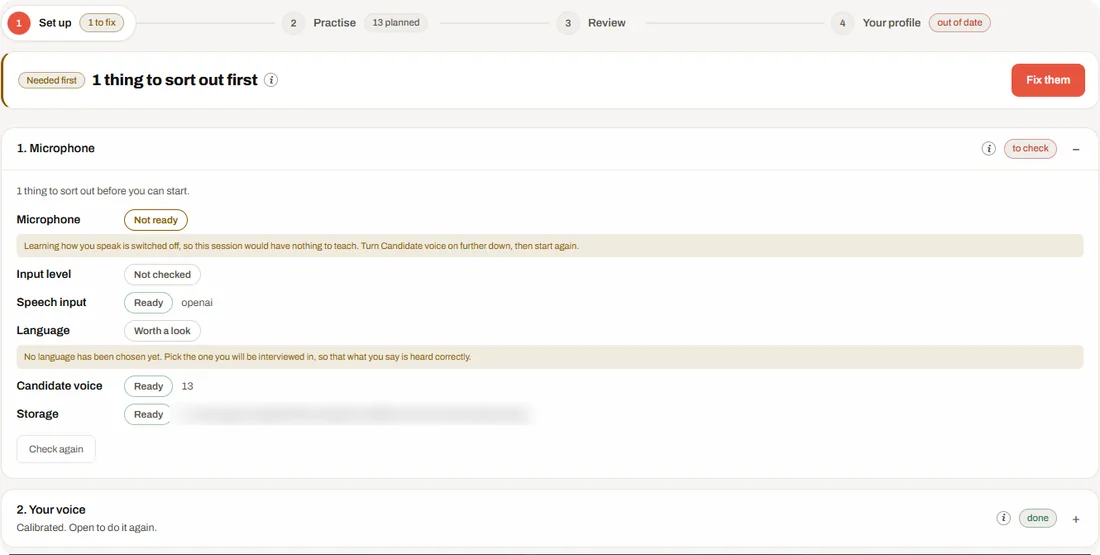
Training → Set up checks what a practice session needs before it starts, and says what to fix: the microphone, its input level, speech input, the language you will be interviewed in, your candidate voice and where training data is stored.